|
|
||||||||||||||||||||||||||||||||||||||||
|
|
||||||||||||||||||||||||||||||||||||||||
|
Visualization
An Introduction to Visualization
● Overview of Visualization Process ● Community-Level Visualization ● Choosing an Appropriate Visualization Technique ● Effective Graphic Communication ● Limitations of Visualization
SAFETEA-LU Requirements
Safe, Accountable, Flexible, Efficient Transportation Equity Act: A Legacy for Users (SAFETEA-LU) establishes that Metropolitan Planning Organizations (MPOs), “to the maximum extent practicable, employ visualization techniques to describe plans.” (Source: SAFETEA-LU, Public Law 109-59)
The Federal Highway Administration (FHWA) and Federal Transit Administration (FTA) have jointly issued rules for MPOs to follow in order to meet the requirements established in SAFETEA-LU. The FHWA and FTA define “visualization techniques” as “methods employed by states and MPOs in the development of transportation plans and programs with the public, elected officials, and other stakeholders in a clear and easily-accessible format.” This is intended to “promote improved understanding of existing or proposed transportation plans and programs.” The FHWA and FTA language is intentionally vague in regards to the types of visualizations that are appropriate or expected. As a result, each MPO is allowed the flexibility to meet visualization requirements in a way that most “appropriately [illustrates] the projects or plans.”
Although visualization is now formally required in order to receive federal funding, many planners have been using visualization to illustrate and explain projects for years. As planning continues to evolve, however, it will be important for all MPOs and transportation planners to consider more consciously the use of visualization.
Overview of Visualization Process
Visualization, as a part of transportation and urban planning, begins at the community level and stretches throughout the entire planning process. Visualization is an effective technique to articulate initial community-wide issues and opportunities. It also allows for the illustration of a formal project goal in a clear and easy-to-understand way.
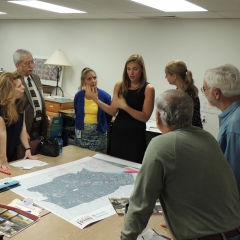
The general public may not often use the same vocabulary or tools as transportation professionals. The use of visualization during community meetings often establishes a common understanding of the issues being faced and the potential paths toward a solution. Examples of common visualization techniques at the community-level include photo and video presentations, brainstorming sketches, and Visual Preference Surveys (VPS).
Consultants often use VPS during charettes to develop shared visions—whether general or project-specific—on a community level. The collected information is used as guidance by planners as they begin work on formal plans for a community. Consultants continually seek public input throughout the planning process.
Visualization of a specific project proposal is typically conducted by a professional consultant. In the past, this process often involved scale models, drawings, and maps. Today, computer-aided programs now dominate the project-level visualization process. These programs often have the power to incorporate architecture, engineering, and planning. As a result, computer-aided visualization may provide more realistic and precise examples of proposed projects.
Examples of computer-aided visualization are photographic stills and 3-D model renderings used to generate movies from different viewpoints. These viewpoints offer a human perspective that is not possible with physical models. Computer-aided visualization helps viewers to better understand the true scale, the incremental steps of the construction process, and the ultimate appearance of a project. It also helps to unify static blueprints, complex modeling data, and research for designers and planners.
Over the past several years, visualization tools have expanded rapidly in their capabilities and complexity. Some computer-aided programs now offer the integration of GIS mapping, data storage, and traffic analysis in a single suite. Examples of off-the-shelf software packages include:
Choosing an Appropriate Visualization Technique
The cost of visualization products varies greatly and may be very expensive. Thus, the type and scale of a project or plan often determines which types of visualization are used.
Because large-scale projects involve considerable changes to a community, it may be more appropriate to invest in computer models that clearly depict the end result along with supplementary graphics that explain the process and impact of a project. Depending on the details of a particular visualization product, costs can be extensive. Computer-altered photographs can be a less expensive alternative to animation but can still be costly. Costs may be reduced if generic computer-rendered stills are already available for incorporation into a photograph of a specific site.
Photo examples from comparable projects or simple charts and maps may be more than sufficient and much less expensive. However, even small-scale projects can have a distinct impact on the daily life of a community and its members. For this reason, it is important that—regardless of the scale of a project—graphical information is made available and presented to the public in a way that is easy to decipher.
Effective Graphic Communication
Visualization will not be effective unless it begins with a clear understanding of public perspective and concerns. Information should be presented in a logical sequence that acknowledges the perspective of the audience along with the varying levels of familiarity with the proposed project or planning issue. The depth and scope of information, language style, and types of graphics used for a presentation to the general public is often much different than that used when presenting to public officials or government agencies. For example, using a 3-D traffic simulation model, consultants may often use a combination of two perspectives—an aerial perspective and a car-level perspective—so that viewers can visualize traffic as a whole system and as an individual motorist.
Visualization often serves as the public introduction to a proposed project. As a result, all graphics should be consciously tied into the wider design scheme of a presentation. It is crucial to link them with other project resources. Visualization should be designed for, and accessible through, several media formats including print, posters, brochures, video and online viewing. Maps should use color, shading, font type, and overall composition to organize information and achieve maximum legibility.
Computer-modeled graphics often incorporate information from many different sources, but alone do not always offer sufficient information about a proposed project. By incorporating many different forms of visualization into project proposals, the end result may be more accurate, easier to interpret, and informative to both the public and those involved in project design and approval.
Even the most carefully-designed visualization is only a prediction. It may be possible for a visualization to be based on research that inaccurately predicts environmental impacts or traffic patterns, for example. Yet, to the public, the same visualization may be perceived as a precise, scientific, illustration of the finished project. Accordingly, qualification of the visualization is necessary.
Because visualization streamlines and simplifies the presentation of complex planning projects, it may obscure the source and validity of the information used. For this reason, it is important that the limitations of data sources are carefully considered by planning professionals. All concerns, qualifications, and limitations should be stated along with any visualization technique in order to avoid misrepresentation.
The professional appearance alone of a well-designed visualization may powerfully affect public opinion. A carefully-crafted graphic may gloss over major faults within a project while still encouraging public interest and support. Likewise, a solid plan that lacks a strong graphic may dampen public interest and may even deter the support of governmental and private parties involved in the approval process.
From the USDOT, FHWA, and FTA, this site includes a glossary of terms related to transportation planning and visualization techniques. It also includes a guide that encourages public involvement in state, metropolitan, and rural planning. From the Federal Lands Highway Division of FHWA, this site offers general and detailed information, tutorials, a glossary, and case studies involving visualization techniques in transportation planning. From the Hartford County Department of Planning and Zoning, this website provides a summarized report of the results of a Visual Preference Survey conducted in Harford County, Maryland. These sites offer several excellent visualization examples and links to resources regarding public outreach. From the NYSDOT, this site offers a local example of several forms of visualization used to inform the public about the Troup Howell Bridge construction process and related issues. The graphic design and organization of the site are also notable. Published by the Pacific Northwest National Laboratory, this is a tutorial outlining key lessons in graphic design.
|
||||||||||||||||||||||||||||||||||||||||
|
x |
||||||||||||||||||||||||||||||||||||||||
|
Directions to GTC
|
GENESEE TRANSPORTATION COUNCIL City Place, 50 West Main Street, Suite 8112 Rochester, NY 14614-1227 Phone: (585) 232-6240 Fax: (585) 262-3106
|
E-mail Us
|
||||||||||||||||||||||||||||||||||||||
|
Copyright © 2008 Genesee Transportation Council
|
||||||||||||||||||||||||||||||||||||||||